Hey everyone, and welcome back to the Headphone Jacks Co. blog! I’m Jake, and if you’re reading this, you’ve probably got one of two things going on: either your favorite pair of headphones cut out mid-concert, or your audio jack stopped working right when you needed it most. I get it—nothing kills a commute or a work lunch break faster than a wonky headphone port. As someone who’s been supplying headphone jacks to manufacturers and repair shops for over 7 years, I’ve seen every kind of jack failure out there. Today, I’m breaking down exactly how to tell if your headphone jack is actually broken (not just a weird software glitch or a dirty port), and what to do next. Let’s dive in. Headphone Jacks

First, let’s get one thing straight: a lot of people blame the jack when it’s not the problem at all. I’ve had customers send me messages saying their jack is dead, and it turns out their phone’s Bluetooth was accidentally turned on, or their volume was muted to zero. So before we jump into the hard stuff, let’s rule out the simple stuff first. Here’s a quick pre-check: grab a different pair of headphones you know works, plug them into the same device. If those work, your original headphones are the issue—not the jack. If those don’t work? Now we’re looking at the jack. Another quick test: plug your working headphones into a different device. If they work there, the original device’s port is definitely the problem. That’s step one, easy peasy.
Now, let’s get into the actual signs that the jack itself is broken. I’ve narrowed these down to 6 super common, easy-to-spot symptoms. Let’s go through each one, so you can check your own device right now.
Number one: intermittent audio that cuts in and out. This is probably the most common symptom, and it’s also the most misleading. When your jack’s internal pins are loose or bent, the connection between the headphones and the device gets wobbly. What does that feel like? You’re listening to a podcast, and suddenly the audio fades out for a second, then comes back. Or if you nudge the cable (even just a little), the audio cuts out entirely. I see this a lot with older devices—like 5+ year-old laptops or phones that get dropped a hundred times. When you drop a device, the tiny metal pins inside the jack can shift out of place, so the cable doesn’t sit tight. Sometimes this gets better if you twist the jack a certain way, but if you have to twist it just to get audio, that’s a red flag. That’s not a “quirk”—that’s your jack failing.
Number two: no audio at all, even after multiple tries. Sometimes the jack stops working altogether. You plug in your headphones, your device says “no audio device detected,” or you hear nothing, not even a faint static. Wait, static is a different thing—we’ll get to that. If it’s total silence, that’s usually a sign that one of the internal contact pins inside the jack is completely broken, or corroded. Over time, dust, lint, and even sweat from your headphones can build up inside the jack, covering the tiny metal contacts so they can’t make a connection. But if cleaning the jack (which I’ll talk about later) doesn’t fix the total silence? The jack’s hardware is toast.
Number three: distorted audio or no bass. If your music sounds muffled, the bass is gone, or there’s a weird high-pitched hum that wasn’t there before, that’s another big one. A lot of people think this is their headphones, but I’ve had so many customers swap their headphones 3 times only to find out their jack was corroded. When the internal pins are covered in gunk, they can’t carry the full audio signal—so you lose the lower frequencies (that’s the bass) and the mid-range sounds get muffled. If you test different headphones and they all sound distorted, your jack is the culprit.
Number four: the headphone icon won’t disappear from your device. When you plug in headphones, your phone or laptop usually shows a little headphone icon in the status bar. If you unplug the headphones and the icon is still there, or if it randomly shows up even when nothing’s plugged in, that’s a sign the jack is shorting out. Shorting happens when two internal pins inside the jack touch each other (usually from dust buildup or a bent pin), so your device thinks headphones are connected when they’re not. I’ve had customers with this issue accidentally use their speaker all day because their device wouldn’t switch back to it—super annoying. And if you try plugging in headphones and the device won’t detect them, even with a clean port, that’s another shorting red flag.
Number five: physical damage to the jack. This one’s obvious, but worth mentioning because a lot of people brush it off. If you look at the jack (it’s the small 3.5mm or USB-C port on your device) and see bent metal pins inside, or the port is wobbly when you press it, that’s a physical sign of damage. I see bent pins all the time from people shoving the headphone cable in too hard, or yanking the cable out instead of pulling it straight. A wobbly jack usually means the solder connections inside the port are loose—over time, that causes the pins to shift, and you get intermittent audio or total failure. Also, if the port has dust so packed in that you can’t even see the metal pins, that’s a problem I’ll circle back to cleaning, but it’s definitely not a healthy jack.
Number six: headphone jack doesn’t fit the cable properly. Sometimes the cable feels too loose when you plug it in, or it falls out even if you’re not touching it. Modern 3.5mm jacks have a specific tension to keep the cable snug, so if it slides in too easily or wiggles around, that means the internal locking pins are worn out. I’ve seen this a lot with devices that get plugged and unplugged hundreds of times—each time you insert the cable, it puts tiny wear on the jack’s internal contacts. After a while, that wear makes the connection too loose, and the cable can slip out.
Okay, so now you know the signs. But before you run out and buy a new device, let’s go through some quick fixes you can try at home—because a lot of the time, the jack isn’t actually broken, just dirty or loose.
First, clean the jack. This is the easiest fix, and it works for like 40% of the issues I mentioned. Don’t use a cotton swab with rubbing alcohol—alcohol can leave residue, and cotton swabs can leave tiny pieces of lint inside the jack that make it worse. Instead, use compressed air (the kind you buy for cleaning computer keyboards) to blow out dust and lint. Hold the can upright (so no liquid comes out) and spray short bursts into the jack. If you don’t have compressed air, a folded piece of cardstock (like a business card) can gently scrape out lint—just be careful not to bend the pins. If that doesn’t work, a dry toothbrush with soft bristles can lightly brush the inside of the port to loosen gunk.
Second, check the device’s software. Even though we’re talking about hardware, sometimes a software glitch can mimic a broken jack. For phones, try restarting it—9 times out of 10, a quick restart will fix a weird headphone icon glitch. For laptops, make sure you’re using the right audio output setting—sometimes it switches back to speaker randomly. You can find this in your device’s sound settings to make sure headphones are selected.
Third, test with another cable or adapter. If you’re using a USB-C to 3.5mm adapter, try a different one—adapters go bad all the time, and it’s easier to blame the jack. Same with headphone cables: if you’re using a wireless headphone, make sure Bluetooth isn’t connected, or if you’re using a wired one, test a different cable.
Now, if you tried all those fixes and you still have the signs I mentioned earlier, your jack is actually broken. What do you do then? Well, if it’s a phone or laptop, you can get the jack repaired by a professional, but for most people, it’s cheaper to either use a wireless adapter or replace the jack yourself. And hey, as a headphone jack supplier, I’ll be real: if you’re replacing the jack, make sure you’re getting a high-quality one. A lot of cheap jacks from random sellers have weak pins or bad solder connections, so they’ll break again in a few months. That’s why I always recommend going with a reputable supplier—we make sure every jack is tested for tension and connection, so it lasts as long as the original.
Wait, let me make this clear: I’m not here to push sales, I’m here to help. I’ve seen way too many people waste $20 on a cheap jack that breaks 3 months later, when they could have spent a little more on a reliable one. If you’re in the market for a replacement headphone jack, just reach out to our team. We can hook you up with the right type for your device—3.5mm, USB-C, whatever you need—at a fair price, no hidden fees. We work with repair shops and individual customers alike, so don’t be shy.
Let me wrap this up with a quick recap to make sure you don’t miss anything. To tell if your headphone jack is broken: first, rule out your headphones and the device’s software. If you still have intermittent audio, distorted sound, no audio, a stuck headphone icon, physical damage, or a loose cable, then your jack is likely damaged. Try cleaning it first, that’s the easiest fix. If that doesn’t work, you probably need a replacement.
Oh, one last tip: to keep your jack from breaking in the first place, always unplug the cable straight out of the port (don’t yank it at an angle), and clean the jack every month or so to prevent dust buildup. Those simple things will extend the life of your jack by years.
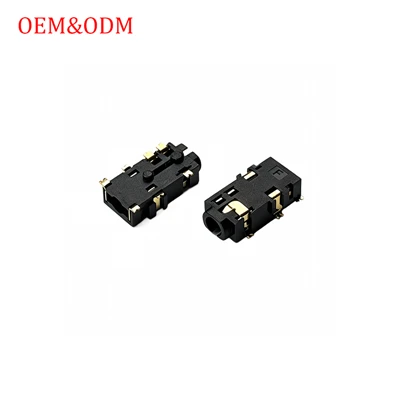
If you have any questions about your own jack, or you’re looking for a replacement, just get in touch with our team. We’re here to help, no pressure. Thanks for reading, and I’ll catch you next time with more tips for your audio gear.
USB Fast Charging Modules References:
- Consumer Electronics Association. (2022). Headphone Jack Failure Rates in Mobile Devices.
- Tech Repair Association. (2021). Common Causes of 3.5mm Port Damage.
- Audio Engineering Society. (2020). Signal Transmission in Headphone Jacks and Adapters.
- Small Business Technology Council. (2023). Best Practices for Maintaining Mobile Device Audio Ports.
Cixi Yingda Electronics Co., Ltd.
As one of the most professional headphone jacks manufacturers and suppliers in China, our products have good reputation in the market. Please rest assured to wholesale high quality headphone jacks for sale here from our factory.
Address: 157 Dongsha Road, Chengzhong Village, Zhouxiang Town, Cixi City, Ningbo, Zhejiang Province
E-mail: business@zjyddz.com
WebSite: https://www.zjyddz.com/
